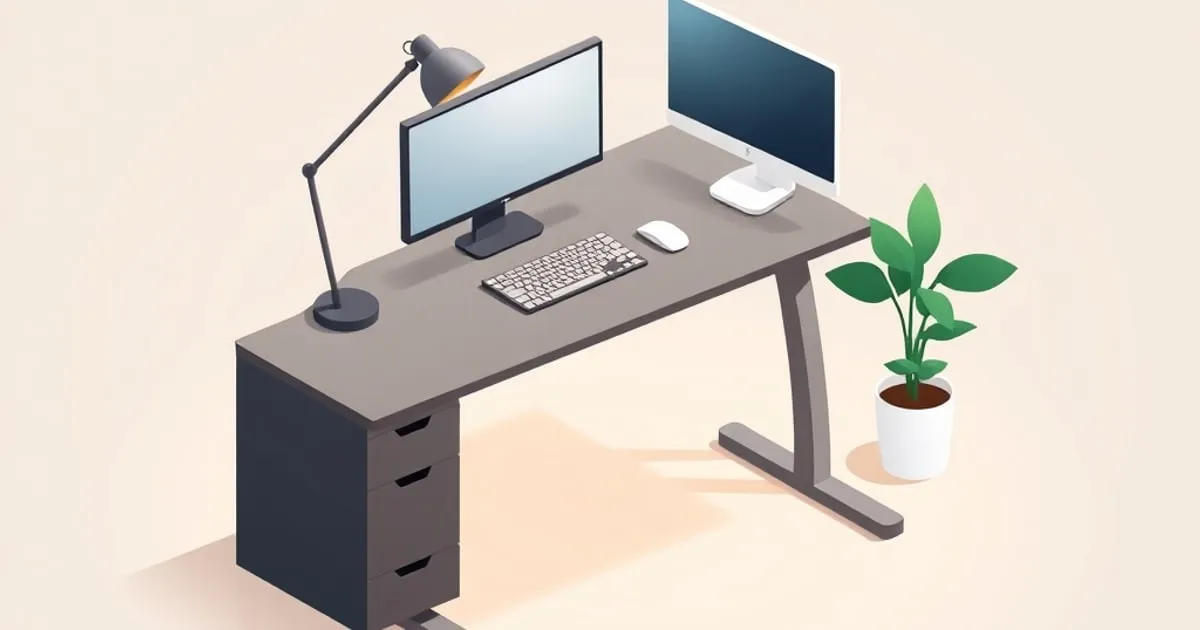
The best ergonomic desk height puts your keyboard at or slightly below relaxed elbow height. For seated typing, UW–Madison’s ergonomics guidance puts the ideal desk height for a keyboard at 22 to 28 inches (56–71 cm) from the floor, often below a 28 to 30 inch writing surface. Standing, its range is 37.4 to 45.5 inches (95–116 cm).
A normal desk height is a furniture dimension; your ideal desk height is a relationship between the chair, your elbows, and the keyboard. Published ranges are starting points. Your own number comes from one measurement taken in your own chair.
Start with the chair you actually use. Support your feet, sit back, and measure your relaxed elbow height. Then account for the keyboard sitting on the surface, because your hands work at the keys, not on the desktop.
For an interactive estimate, use the desk height calculator at ErgoRanker. Confirm any estimate against the measurements below before saving a desk preset or ordering furniture.
Standard Desk Height Reference: Writing, Computer and Standing
There is no universal ergonomic height that makes every desk suitable for every person. The reference table separates a furniture convention from an adjustable working range.
| Desk or work surface | Reference height | What the number means |
|---|---|---|
| Writing desk used for paper and computer work | 28–30 in (71–76 cm) | Workstation guidance describes this as a general surface range; keyboard height may need separate adjustment |
| Fixed computer desk | Often the same 28–30 in surface | The keyboard sits above this surface; check elbow alignment instead of assuming the desk fits |
| Seated keyboard surface | 22–28 in (56–71 cm) | One university range; set yours from your seated elbow measurement |
| Sit-stand desk | A 22–48 in (56–122 cm) adjustment span is one published procurement reference | This is a travel-range example, not a single standing setting |
| Standing keyboard surface | 37.4–45.5 in (95–116 cm) | Near your relaxed standing elbow height; measure in working footwear, with any mat in place |
| Leg clearance under the desktop | 20–28 in (50–72 cm) high | The general range for open space beneath a computer desk |
The 28–30 inch writing-surface reference comes from the computer workstation arrangement guide. The 22–48 inch travel reference comes from height-adjustable desk guidance, which says that span fits 95% of users. The keyboard ranges are UW–Madison’s; the clearance range is OSHA’s. None of these figures overrides an individual fit check.
The US computer-workstation standard is in revision too: HFES says ANSI/HFES 100-2007 is no longer maintained, and its 2026 draft uses new anthropometric data.
For a computer desk, distinguish three levels: the underside that limits leg clearance, the desktop that supports equipment, and the keys that your hands touch. They are different measurements. A thick top or drawer can obstruct your thighs even when the keys are at a comfortable height.
If a furniture listing uses “standard,” “normal,” or “average desk height,” read the actual dimensions. Those labels do not establish that your chair and keyboard will work with the desk. Measure the finished surface, including any top fitted to a separately purchased frame.
How to Measure Your Ideal Seated Desk Height
Use the chair-height sequence before changing the desk. Measure with your usual footwear and the chair occupied, because an unloaded cushion does not show your working seat position.
- Sit back with your feet fully supported by the floor or a stable footrest.
- Let your upper arms hang close to your body.
- Bend your elbows so your forearms are approximately horizontal without lifting your shoulders.
- Measure from the floor to elbow level.
- Position the keyboard so you can reach its home row with straight wrists.
- Measure the keyboard’s home-row height above the desktop.
For a first surface estimate, subtract keyboard height from the relaxed elbow measurement:
Desktop height = measured elbow height − keyboard home-row height above the surface.
This arithmetic translates a body measurement into a furniture setting. It is not a medical prescription or a promise of pain relief. OSHA’s working-position guidance emphasizes relaxed shoulders, supported feet and back, and straight wrists, with elbows close to the body and bent between 90 and 120 degrees; it allows variation in posture.
For example, suppose your seated elbow measures 70 cm above the floor and your keys sit 3 cm above the desktop. Start with a 67 cm surface. If the desk display reports frame height rather than finished surface height, measure the result with a tape instead of copying 67 onto the controller.
Move the mouse onto the same working level as the keyboard and keep it close. A good keyboard position loses its value if each mouse movement requires reaching around a notebook or stretching over an armrest.
Ergonomic Keyboard Height: At or Slightly Below the Elbow
The ergonomic keyboard height is at or slightly below your relaxed elbow height, with the keyboard parallel to your forearms, as UNH’s keyboard guidance puts it. For seated work, UW–Madison’s 22 to 28 inch range is where that usually lands. Keys above elbow level make the shoulders rise to reach them.
| Keyboard check | Target | Guidance |
|---|---|---|
| Home row vs. elbow | At or slightly below relaxed elbow height | UNH |
| Elbow angle | Bent 90 to 120 degrees, elbows close to the body | OSHA |
| Forearms and wrists | Forearms roughly level; wrists straight and in line | OSHA, CCOHS |
| Distance from desk edge | Close to the front, about 2 in (5 cm) back from the edge | CCOHS |
| Keyboard feet | Folded unless raising them straightens the wrist | UNH, OSHA |
| Keyboard tray height | 1.5 to 2 in above the thighs | Boston University |
| Keyboard tray tilt | Adjustable from 0 to −15 degrees | UNH |
The CCOHS keyboard guide gives a narrower elbow range of 90 to 110 degrees and advises against resting the wrists on the desk while typing.
The keyboard’s own height matters too. A low-profile board and a tall one on raised feet put the home row at different heights above the same desk, which changes the desk setting one-for-one. OSHA’s keyboard page says not to use the feet if they increase wrist bending.
When a fixed desk or chair cannot be adjusted properly, OSHA says a tray may be needed; it should adjust in height and tilt, leave leg clearance and hold the mouse too. Boston University’s ergonomics guidance sets the tray 1.5 to 2 inches above the thighs with a negative tilt, sloping slightly away from you.
Desk Height by User Height: Read the Table as an Estimate
Standing stature helps with preliminary planning, but two people of the same height can have different leg and torso proportions. The Ergotron planning worksheet explicitly treats stature-derived dimensions as starting points.
The table below is an illustrative calculation, retaining this site’s planning assumptions of seated elbow height at 39.5% of stature and standing elbow height at 63%. It subtracts a hypothetical 3 cm keyboard. These are model outputs, not measured population averages or requirements from OSHA.
| User height | Illustrative seated surface | Illustrative standing surface |
|---|---|---|
| 5’0” (152 cm) | 57 cm (22.5 in) | 93 cm (36.5 in) |
| 5’4” (163 cm) | 61 cm (24.2 in) | 100 cm (39.2 in) |
| 5’8” (173 cm) | 65 cm (25.7 in) | 106 cm (41.7 in) |
| 5’10” (178 cm) | 67 cm (26.5 in) | 109 cm (43.0 in) |
| 6’0” (183 cm) | 69 cm (27.3 in) | 112 cm (44.2 in) |
| 6’4” (193 cm) | 73 cm (28.8 in) | 119 cm (46.7 in) |
Centimetres and inches are rounded separately from the formula. Changing the keyboard allowance changes every surface value by the same amount. Different body proportions can change the elbow measurement itself, so the table cannot settle a purchase on its own.
If the table suggests 65 cm but your measured comfortable surface is 68 cm, use your measured setting. Do not lower a desk merely to agree with a height chart. The full standing desk height chart and formula explains the standing calculation and footwear adjustments.
Standing Desk Height: Save a Separate Measurement
A standing desk should put the keyboard at your relaxed standing elbow height. UW–Madison’s range for standing keyboard work is 37.4 to 45.5 inches (95–116 cm), and this site’s illustrative chart runs from about 36.5 inches at 5’0” to 46.7 inches at 6’4” with a 3 cm keyboard. Measure your own elbow rather than choosing a row.
Stand on the floor or mat you will use, wearing your normal work shoes. Repeat the relaxed-elbow measurement and subtract the keyboard’s height above the surface. Do not derive the standing setting by adding a fixed number to the seated setting.
A mat beneath you raises your working position relative to the floor. If you measured while standing on it, that change is already included. Adding mat thickness again would count it twice. The same principle applies to shoes.
Check the screen again after raising the desk. Your monitor setting should follow your line of sight, and changing the desktop does not guarantee that the screen remains comfortable. Keep the top of the display at or below eye level as a starting point, then adjust for your normal viewing posture.
Before buying a frame, confirm that its range covers both your seated and standing numbers. The standing desk measurements guide lines published frame ranges up against these chart rows.
An adjustable desk should permit changes of position during the day. It does not require standing through discomfort or following a universal session length. For the timing question, see StandDeskReview’s guide to how long to stand at a standing desk.
Table Height Ergonomics: Match the Surface to the Task
For computer work, the right table height keeps the keyboard at or just below elbow level. Other tasks move the target. CCOHS guidance for standing workers puts precision work such as writing about 5 cm above elbow height with elbow support, light work 5 to 10 cm below it, and heavy work that demands downward force 20 to 40 cm below.
| Task | Surface height | Source |
|---|---|---|
| Typing and mousing | At or slightly below elbow height | UNH |
| Seated reading and writing at a fixed desk | 28–30 in (71–76 cm) flat surface | Cornell |
| Standing precision work, such as writing | About 5 cm (2 in) above elbow, with elbow support | CCOHS |
| Standing light work | About 5–10 cm (2–4 in) below elbow | CCOHS |
| Standing heavy work with downward force | 20–40 cm (8–16 in) below elbow | CCOHS |
CCOHS sets work height from body dimensions with elbow height as the guide, the same reference this page uses for desks. One surface rarely suits every job: a table at writing height is often too high for the keyboard. On a fixed table, set the surface for the main task and move the other one, such as the keyboard onto a tray.
Fixing a Desk That Is Too High
First confirm that the problem is the keyboard level. A tall keyboard, raised rear feet, or an added desk pad may be part of the mismatch. Put the keyboard into its normal working configuration before altering the furniture.
Raise the chair only while maintaining support. If the desk is fixed, raising the seat may align your elbows with the keyboard. Add or adjust a stable footrest when your feet no longer reach the floor, and check that the desk underside still clears your thighs. OSHA’s keyboard page suggests removing a central pencil drawer if it stops the chair from rising high enough, and says the desk surface should be no more than 2 inches thick.
Consider a compatible keyboard tray. A tray can lower the typing surface while keeping the monitor on the desktop. Its actual drop, mounting space and thigh clearance depend on the model. Confirm that it holds both keyboard and mouse at a useful level; the tray targets in the keyboard section above give a starting point.
Lower the desk if its design permits it. Use the frame’s intended adjustment or compatible legs. Do not improvise a structural change based only on the target number. OSHA’s desk guidance does include cutting down desk legs if necessary; measure your target first, because a shortened leg cannot be lengthened again.
These options follow the adjustment approach in OSHA’s desk guidance. Choose the correction that resolves the mismatch without creating another one. A higher chair that traps your thighs under a drawer is not a complete fix.
Fixing a Desk That Is Too Low
A low surface can leave you reaching downward or bending forward. Confirm that the chair already fits your legs and back before treating a lower seat as the answer.
Raise an adjustable desk within its documented range. For fixed furniture, use a manufacturer-compatible height adjustment or stable risers under every leg; OSHA’s desk guidance names boards or blocks as examples. Uneven stacks under individual legs are not a dependable workstation adjustment.
Check the whole surface after a change. The keyboard, mouse, document holder and monitor should still be accessible, and the desk should remain stable. If the geometry cannot work together, a different surface or frame may be necessary.
For inexpensive changes and a purchase sequence, use desk ergonomics on a budget. The important spending decision is the unresolved fit constraint, rather than the number of accessories added.
Check Leg Clearance and Reach Before Buying
Take the seated and standing surface measurements to the product specification sheet. Compare them with the finished desk’s minimum and maximum, then check what is included in those dimensions: desktop, feet, casters, or frame only.
Next, measure the usable space below the desk. OSHA puts leg clearance under the desktop generally between 20 and 28 inches (50–72 cm) high and asks that the space stay free of files, CPUs, books and storage. A drawer, crossbar or storage box can obstruct your legs even when the stated desk height looks suitable. Allow room to change position rather than fitting your knees into a single narrow opening.
Check depth with your actual screen and keyboard layout. OSHA’s monitor guidance gives a general viewing distance of 20–40 inches. Text size, vision needs and screen arrangement determine where you work comfortably within your available space.
A monitor arm can move the screen independently, but it also needs a compatible mount and clearance behind the desk. Do not assume that adding an arm makes an otherwise shallow surface suitable.
The layout-first standing desk guide under $1,000 applies these room checks to a buying decision. Product rankings are maintained by ErgoRanker.
Use Desk Height as the Start of a Setup Check
Five related guides complete the workstation: the chair-height guide, the standing height chart, the ergonomic desk setup checklist, budget ergonomics, and monitor placement.
Revisit the measurements when you replace a chair, change keyboards, add a mat, or share the workstation. A shared desk works if its range and leg clearance suit each user. Save settings for each user instead of treating one person’s height as a permanent property of the desk.
FAQ
What is the standard height for a computer desk?
A 28 to 30 inch (71–76 cm) surface is the common reference for writing and mixed computer work, per Cornell’s workstation guidelines. The keyboard often belongs lower: UW–Madison gives 22 to 28 inches for seated keyboard work. Standard furniture height describes the desk, not an individual ergonomic fit, so check your elbows against the keys.
What is the ideal desk height for my height?
Body height gives only an estimate. This site’s illustrative chart suggests a seated surface of about 24.2 inches at 5’4”, 26.5 inches at 5’10” and 27.3 inches at 6’0”, assuming a 3 cm keyboard. Set the chair, measure relaxed elbow height, subtract the keyboard’s height above the surface, then confirm straight wrists.
Is a 30-inch desk too high?
For many seated typists, yes. A 30-inch top sits above UW–Madison’s 22 to 28 inch seated keyboard range, and the keys add height on top of it. Check while seated with supported feet: if reaching the keys lifts your shoulders, fit a keyboard tray, or raise the chair and add a footrest.
How high should a keyboard be?
Your keyboard should sit at or slightly below relaxed elbow height, with forearms roughly parallel to the floor and elbows bent 90 to 120 degrees. Seated, that is typically 22 to 28 inches from the floor. With a keyboard tray, Boston University’s guidance places it 1.5 to 2 inches above the thighs.
Should I measure to the desktop or the keyboard?
Measure your body target at elbow level, then account for the keyboard. Your hands work at the home row, not the desktop, so subtract the keyboard’s home-row height from your elbow measurement. A surface set at elbow height with a 3 cm keyboard on top puts the keys 3 cm above the target.


