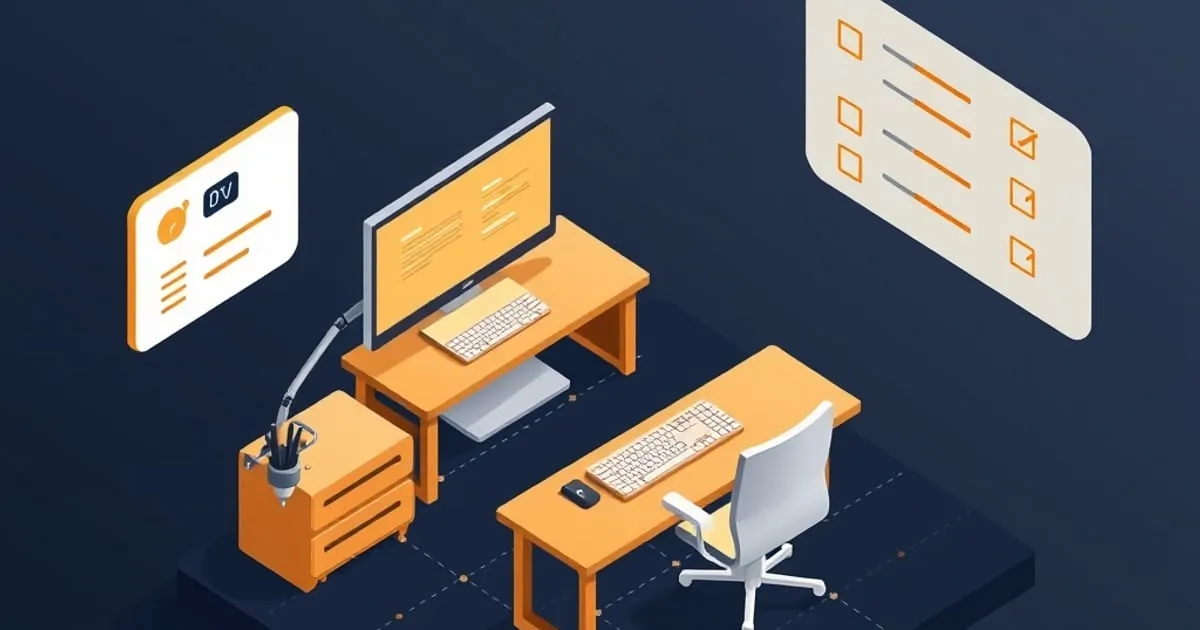
Ergonomic Desk Setup Checklist: Measure Twice, Adjust Once
A detailed ergonomic checklist for desk height, monitor distance, chair position, and keyboard placement. Includes measurement guidelines and a printable
Bad posture doesn’t hurt immediately. You spend two weeks at a desk that’s 3 inches too high, and by day 14 your neck hurts. By week 6, your shoulders are tense. By month 3, you have chronic tension headaches.
Good ergonomics feel invisible. Your body doesn’t complain. You finish an 8-hour day without pain. This checklist walks you through the measurements that prevent problems before they start. If you would rather start from your own numbers, our ergonomic desk setup calculator turns your height into target desk, chair, monitor, and keyboard heights with a labelled side-view diagram, then this checklist confirms them in your real setup.
Before You Measure
Wear the shoes you wear most days (or go barefoot). Sit in the chair you actually use, not a temporary one. Your posture changes depending on footwear and chair, so measure in your real setup.
Checklist 1: Desk Height
Measurement: Sit in your chair with your feet flat on the floor or a footrest. Let your arms hang naturally at your sides.
Target: When you rest your forearms on the desk (elbows bent 90°), the desk should be at wrist height, not higher.
- ✅ Too high: Desk is above your wrist when forearms rest. You’ll shrug your shoulders and create neck/shoulder tension.
- ❌ Too low: Desk is below your wrist. You’ll lean forward and compress your lower back.
- ✅ Just right: Wrist is neutral, forearm is parallel to the floor.
How to adjust:
- Adjustable desk? Raise or lower the frame until your forearm is parallel.
- Fixed desk too high? Raise your chair and add a footrest (6–10 inches) under your feet.
- Fixed desk too low? Add shims or risers under the desk legs (check weight capacity), or replace with an adjustable model.
Tip: If you stand during the day, adjust for sitting first. Standing ergonomics are less critical than sitting (you’ll naturally fidget and shift weight).
Checklist 2: Monitor Distance & Height
Measurement: Sit at your desk in working posture. Extend one arm straight forward; your fingertips should nearly touch your monitor.
Target: Monitor is 20–26 inches from your eyes. Top of the screen is at or slightly below eye level.
- ✅ Too close: Monitor is within arm’s reach. You’ll lean back, hyperextend your neck, and develop eye strain.
- ❌ Too far: Monitor is beyond arm’s reach. You’ll lean forward and compress your neck.
- ✅ Just right: You can almost touch the screen with an extended arm.
Height guidelines:
- Top of screen: Align with your eye level when looking straight ahead, or 15–20° below eye level when looking in a relaxed downward gaze.
- Center of screen: Should be 20° below eye level for a natural downward gaze (this is easier on neck than level or upward).
How to adjust:
- Monitor too low? Use a monitor arm, stand, or stack of books. $30–$50 arm saves your neck for the next 5 years.
- Monitor too high? Lower the stand or remove books; avoid looking up.
- Multiple monitors? Primary monitor at eye level; secondary monitors 15–30° off-center.
Tip: If your monitor is in landscape mode (wider than tall), the center should be at eye level, not the top edge.
Checklist 3: Keyboard & Mouse Position
Measurement: Sit at your desk with arms at rest. Place your keyboard on the desk.
Target: Keyboard is at elbow height. Wrists are neutral (not bent down or up) when typing.
- ✅ Too high: Keyboard is above elbow height. Your wrists bend upward; repetitive strain injury risk.
- ❌ Too low: Keyboard is below elbow height. You’ll lean forward or rest forearms on the desk; neck compression.
- ✅ Just right: Wrists are straight, elbows at 90°, forearms parallel to the floor.
Mouse position:
- Same height as keyboard. Mouse should be at the same level as your keyboard home row.
- Close to your body. Mouse should be within 6 inches of your keyboard. Reaching far for the mouse creates shoulder strain.
- Arm posture: Elbow stays near your body; don’t reach out to the side.
How to adjust:
- Keyboard too high? Lower your chair and add a footrest, or use a desk with a keyboard tray.
- Keyboard too low? Raise your chair or add risers under the desk.
- Mouse too far? Move it closer to your keyboard, or use a larger mouse pad.
Tip: If you use an external numeric keypad, place it to your right (away from your body), so your main keyboard and mouse are centered.
Checklist 4: Chair Height
Measurement: Sit in your chair. Feet should be flat on the floor, not dangling.
Target: Hips and knees are at roughly 90°. Feet are flat on the floor or a footrest.
- ✅ Too high: Feet dangle; knees hang below hip level. You’ll put pressure on the underside of your thighs.
- ❌ Too low: Knees are above hip level. Your lower back will round (no lumbar curve).
- ✅ Just right: Hips and knees are at 90°; feet are supported.
Lumbar support:
- Your lower back should have a gentle inward curve (lumbar lordosis).
- If your chair has a lumbar pillow, adjust it so it matches the curve of your lower spine, not your midback.
- If it doesn’t have lumbar support, use a small pillow or lumbar cushion ($20–$50).
How to adjust:
- Chair too high? Lower the seat height. If feet still dangle, add a footrest.
- Chair too low? Raise the seat height, or replace with a chair that goes higher.
- Lumbar curve missing? Add a small lumbar pillow behind your lower back.
Tip: A good chair has adjustable seat height, lumbar support, and armrests. Don’t skip on the chair; you’ll sit in it 40+ hours a week.
Checklist 5: Armrest Height
Measurement: Sit at your desk. Relax your arms at your sides; elbows should be at 90°.
Target: When your elbows are bent at 90° and resting on the armrests, your forearms are parallel to the desk.
- ✅ Too high: Armrests are above desk height. Your shoulders will shrug up; neck tension.
- ❌ Too low: Armrests are below 90°. Your arms will hang; shoulder strain.
- ✅ Just right: Forearms are parallel to desk and supported.
How to adjust:
- Armrests too high? Lower them if your chair allows, or remove them temporarily while you work at the desk.
- Armrests too low? Raise them if adjustable. If fixed, use extra padding under the armrests.
- No armrests? Consider adding them ($50–$150). Arm support reduces shoulder strain.
Tip: Good chairs have adjustable armrests (height and width). Cheap chairs have fixed armrests; that’s a sign to upgrade.
Checklist 6: Head & Neck Posture
Measurement: Look straight ahead at your monitor. Your eyes should naturally align with the top third of the screen.
Target: Head is over your shoulders (not leaning forward or backward). Neck is neutral.
- ✅ Head too far forward: Common if monitor is too low or too far. You’ll develop neck strain and tension headaches.
- ❌ Head too far back: Rare; usually means monitor is too high.
- ✅ Neutral: Head is balanced over shoulders. Minimal neck strain.
How to adjust:
- Head leaning forward? Raise monitor and bring it closer.
- Head leaning back? Lower monitor slightly.
Tip: A common culprit: laptop screen too low. Laptops force you to look down. Use an external monitor or a laptop stand to bring the screen to eye level.
Checklist 7: Feet & Footrest
Measurement: Sit in your chair. Feet should be flat and fully supported.
Target: Feet are flat on the floor, OR feet are flat on a footrest (if the desk is high).
- ✅ Feet on floor: Ideal if your chair is the right height.
- ❌ Feet dangling: Pressure on thighs; lower back rounds.
- ✅ Feet on footrest: Necessary if your desk is high or chair is tall.
Footrest guidelines:
- Height: Adjust so your feet are flat and knees are at 90°.
- Material: Firm surface (wood, metal) that doesn’t wobble.
- Size: Large enough that your feet don’t slip off.
How to adjust:
- No footrest? Buy one ($30–$80). It’s cheaper than the physical therapy later.
- Footrest too high? Lower it or replace with a flatter one.
- Footrest too low? Raise it or add shims underneath.
Tip: A standard footrest is 6–10 inches tall. Measure the distance from your floor to your knee when seated; that’s your footrest height.
Quick Validation: The “Mirror Test”
Sit at your desk and look in a mirror or take a selfie from the side. You should see:
- Ears over shoulders — head is balanced, not leaning forward
- Shoulders relaxed — not shrugged up toward your ears
- Back straight — gentle inward curve in lower back, not rounded
- Arms at sides — elbows near your ribs, not reaching out
- Knees at 90° — hips and knees form right angles
- Feet supported — feet on floor or footrest, not dangling
If you fail any of these, go back through the checklist and adjust.
Common Issues & Quick Fixes
| Issue | Likely Cause | Fix |
|---|---|---|
| Neck pain after 2-3 hours | Monitor too low or too far | Raise monitor; use monitor arm |
| Shoulder tension | Armrests too high or missing | Lower armrests or add them |
| Lower back pain | Desk too high or chair too low | Raise footrest; lower chair |
| Wrist pain when typing | Keyboard too high | Lower keyboard or raise chair |
| Headaches by 3pm | Poor posture compounding | Take a 5-min posture reset break; verify monitor height |
| Eye strain | Monitor too close or too far | Adjust to arm’s-length distance |
| Numb thighs | Chair too high or footrest too low | Raise footrest; lower chair |
The 30-Minute Posture Reset Routine
Every 2–3 hours, stand up and do this:
- Neck: Gentle neck stretches (forward, side-to-side, rotation). Hold 20 seconds each. No pain.
- Shoulders: Arm circles and shoulder rolls. 10 each direction.
- Back: Reverse stretch — interlace your fingers and push your palms forward, rounding your back. Hold 20 seconds.
- Walk: Walk around for 2–3 minutes. Don’t sit back down immediately.
This breaks up muscle tension and resets your posture. You’ll return to the desk more alert.
Print This Checklist
Save this for your desk. Every month, run through it and adjust as needed. Small tweaks compound.
Ready to upgrade? Check out our best standing desks under $1,000 if you’re considering a sit-stand desk, or our complete home office setup guide to buy the right furniture from the start.
Where to buy
Below are Amazon listings for products covered in this article. Prices and stock vary by region; check the UPLIFT ↗, Fully ↗, FlexiSpot ↗, or manufacturer direct pages for warranty registration and configuration options not available on Amazon.
- Autonomous ErgoChair Pro — View on Amazon
- Branch Ergonomic Chair Pro — View on Amazon
- Topo Anti-Fatigue Mat (Ergodriven) — View on Amazon
- Ergotron LX Monitor Arm — View on Amazon
- FlexiSpot E7 Pro Standing Desk — View on Amazon
- Fully Cooper Monitor Arm — View on Amazon
- Fully Jarvis Bamboo Standing Desk — View on Amazon
- Herman Miller Aeron Chair — View on Amazon
- Herman Miller Flo Monitor Arm — View on Amazon
- Humanscale 6G Keyboard Tray — View on Amazon
- Jarvis Monitor Arm (Single) — View on Amazon
- Steelcase Leap V2 Chair — View on Amazon
- UPLIFT V2 Standing Desk Frame — View on Amazon
- Vari Electric Standing Desk — View on Amazon
Disclosure: Some links above are affiliate links. If you purchase through them, we may earn a small commission at no extra cost to you. Our recommendations are based on spec analysis and hands-on review, not commission rates.
Related

Desk Ergonomics on a Budget: A Healthy Setup Without Spending Much
You don't need a $1,500 chair and a motorized desk to sit comfortably for eight hours. Here's how to dial in monitor height, seating, keyboard position

Lighting and Monitor Placement for Long Work Sessions
How to position your monitor and light your desk so you can work for hours without eye strain, headaches, or neck pain.

Small Space Home Office: Maximize Function in 100 Square Feet
A practical guide to setting up a functional home office in tight spaces. Learn desk strategies (wall-mounted, compact, convertible), vertical storage