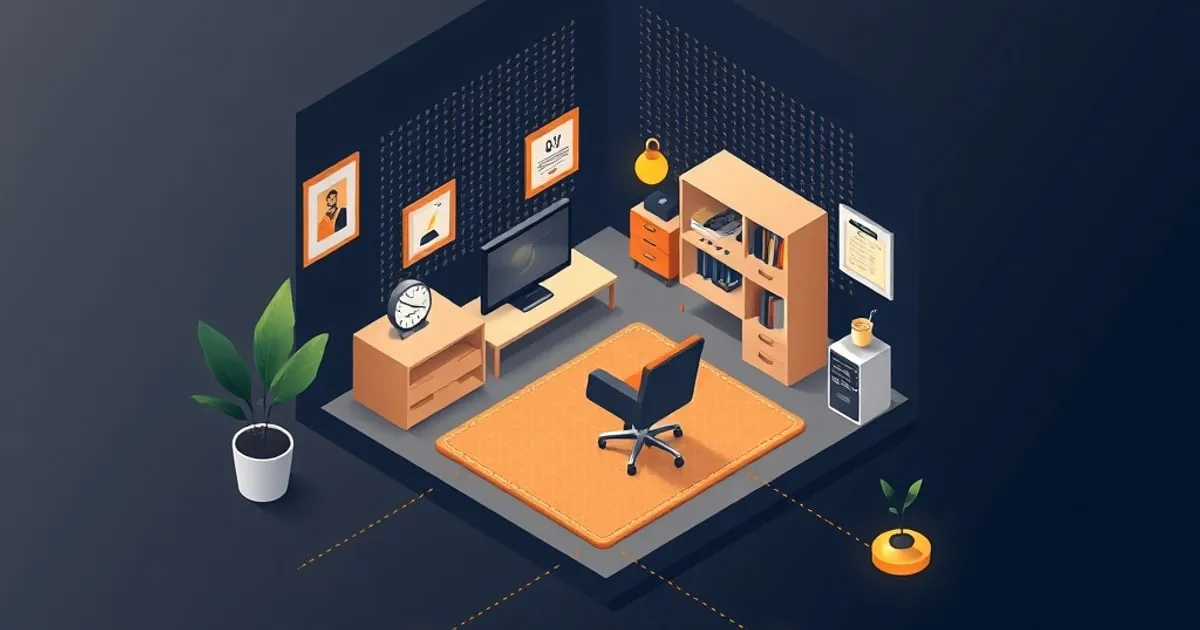
Small Space Home Office: Maximize Function in 100 Square Feet
A practical guide to setting up a functional home office in tight spaces. Learn desk strategies (wall-mounted, compact, convertible), vertical storage
An apartment with one bedroom, a shared home office nook, a studio bedroom that doubles as a workspace—these are where most remote workers actually live. Compact doesn’t mean cramped. With the right approach, a 100 square foot corner can be as functional as a dedicated room.
This guide walks you through desk choices, vertical storage, and space-saving strategies so you can work effectively in whatever corner you’ve got.
The Space Problem
A small office means compromises. You can’t have a 60-inch desk, a filing cabinet, a sofa, and a bookshelf. You pick two, maybe three. The trick is picking the right ones and organizing ruthlessly.
The four constraints:
- Floor space — limited room for bulky furniture
- Wall space — limited room for shelves and hanging storage
- Visibility — your work area is probably visible to others (roommates, partners, family)
- Sound — thin walls mean you hear everything, and everything hears you
We’ll address each.
Desk Strategies for Small Spaces
Strategy 1: Wall-Mounted Floating Desk (Best for Tight Corners)
A floating desk mounts directly to the wall, no legs underneath. You get desk space without floor bulk.
Why it works:
- Uses 0 floor space beyond the wall it’s on
- Frees the area underneath for a chair or storage
- Looks cleaner than a traditional desk
- Can be 24”–48” wide depending on wall space
Best setup:
- Desk width: 30–36 inches (enough for monitor + keyboard, not so wide you can’t reach everything)
- Desk depth: 18–24 inches (enough for monitor at arm’s length, keyboard, and a few items)
- Height: 30–32 inches (standard desk height; adjust for your chair)
Installation:
- Wall must be drywall, plaster, or solid wood (not tile or brick without specialized anchors)
- Must be studs or wall anchors rated for at least 100 lbs
- Use a level; floating desks look obviously wrong if tilted
- Drill pilot holes to prevent cracking
Cost:
- Floating desk kit: $40–$100 (basic wood, likely Amazon or Wayfair)
- Installation hardware: included or $10–$20
- Total: $50–$120
Recommended models:
- IKEA LACK wall shelf + LACK supports (cheapest: $30–$50, but shallow at 10 inches)
- Floating desk with built-in supports (Amazon/Wayfair: $80–$150, deeper at 20–24 inches)
- Wall-mounted standing desk (more expensive: $200–$400, but adjusts in height)
Trade-off: You lose the ability to move the desk. If you change your apartment or room setup, drilling a new hole is a hassle. But for renters who can patch, it’s usually fine.
Strategy 2: Compact Desk Under 36 Inches (Minimal Footprint)
A small traditional desk takes up less floor space than you’d think. The catch is choosing the right depth.
Sweet spot dimensions:
- Width: 30–36 inches
- Depth: 18–20 inches (minimal, but works for monitor + keyboard)
- Height: 28–32 inches (adjustable is a plus)
Why not smaller? Anything under 18 inches deep is unusable. Your keyboard sits 15 inches from your body; monitor sits another 20 inches away. You can’t pack it smaller than ~18 inches.
Cost:
- Compact desk (IKEA, Amazon, Wayfair): $80–$200
- Recommended: FlexiSpot E7 (adjustable height, 40” wide but thin depth) ($300–$400) or IKEA BEKANT (30” wide, simple, $80–$120)
Trade-off: You get a traditional desk you can move, but you sacrifice desk surface area. You’ll need vertical storage (see below) to make up for it.
Strategy 3: Convertible Desk (Most Flexible)
A convertible desk is a regular table that doubles as a dining or craft table. During work hours, it’s your office. Evenings, it’s something else.
Best setup:
- 36”–48” wide dining table or desk (comfortable for two people dining, perfect for one working)
- Folds down or can be pushed to the side when not in use
- Stores a laptop, monitor, keyboard in a drawer or bag when work is done
Why it works:
- You get full-size desk functionality during work
- The same furniture serves double duty (office + dining)
- You can move it around if layout changes
- No specialized desk setup to hide or explain to guests
Cost:
- Dining table that works as a desk (IKEA MÖRBYLÅNGA, West Elm, Article): $200–$600
- Folding desk cart (mobile, stores quickly): $100–$250
Trade-off: You have to pack up and clean at the end of the workday. But if you live in a studio or shared space, this separation is good—it helps your brain switch off.
Vertical Storage: The Game Changer
Small floor space means you go up. Every wall is an opportunity.
Wall Shelving
Shelves are your best friend in small spaces. They hold supplies, monitors (on adjustable arms), and decor.
Recommended setup:
- Floating shelves, 24”–36” wide (IKEA LACK, FJÄLLBO, or Amazon floating shelves: $20–$50 each)
- Install 2–3 shelves above your desk, spaced 12 inches apart
- Use them for: monitor (if desk space is tight), supplies, books, plants, decor
Why floating shelves: They look cleaner than bracket-mounted shelves and maximize visual space. Combine them with a monitor arm (see below) to reclaim desk surface.
Cost: $80–$200 for a full wall setup (3 shelves + installation)
Monitor Arm (Frees 8–12 Square Inches of Desk)
A monitor arm mounts your monitor to the wall or desk arm, not your desk surface.
Why it matters in small spaces: Your monitor takes up half your desk. An arm removes that and adds vertical storage underneath.
Setup:
- Desk-mounted arm (clamps to desk edge): $30–$80
- Wall-mounted arm (bolts to wall): $50–$150
- Either works; desk-mounted is easier for renters
Recommended: Ergotron LX or similar ($100–$200) if budget allows. Cheaper arms often don’t hold weight well.
Trade-off: You lose the back of your desk (where the monitor was), but you gain the desk surface itself.
Door Hooks & Over-the-Door Organizers
Your door is free real estate.
- Over-the-door shoe organizer ($15–$30) holds supplies, cables, chargers
- Hooks ($5–$20 for a set) hold headphones, bags, jackets
- Doesn’t take wall space, doesn’t interfere with walking
Pegboards (Customizable Wall Storage)
A pegboard lets you hang tools, supplies, and decor however you like.
Setup:
- 2×4 pegboard (IKEA SKUGGIS or Amazon generic: $30–$60)
- Pegboard hooks, baskets, shelves (add as needed: $20–$50)
- Mount on an empty wall above desk or to the side
Why it works: You customize it exactly to what you need. Add baskets for cables, hooks for headphones, shelves for supplies.
Trade-off: Takes wall space. Best if you have a wall that’s not visible from the bed (keeps the room from looking too office-y).
Furniture That Doesn’t Look Like an Office
In a studio or bedroom-office, you want furniture that blends.
Standing Desk Converter (Not a Full Desk)
A standing desk converter is a platform that sits on top of your existing table, letting you switch between sitting and standing.
Why: You don’t buy a new desk; you upgrade your existing table. Takes 2 seconds to raise/lower.
Cost: $200–$500 for a quality converter (manual crank or electric)
Best for: Studio apartments where a desk-only furniture piece feels awkward
Narrow Bookshelf Doubling as Desk Storage
A 24-inch-wide bookshelf next to your desk stores supplies and decor without looking “office-y.”
Setup:
- IKEA BILLY bookshelf (24” wide, narrow: $40–$80)
- Position next to desk
- Top shelf holds monitor (with arm) or supplies
- Middle shelves hold books, decor, supplies
- Bottom shelf holds cables, storage boxes
Trade-off: Bookshelf + desk takes more floor space than desk alone. Only works if you have 4–5 feet of wall space.
Cable Management in Small Spaces
Cables are even more visible in compact setups. Keep them hidden.
Strategies:
- Under-desk cable tray ($20–$40) hides cables beneath the surface
- Wall raceway ($15–$40) runs cables up the wall behind the desk
- Cable ties bundle everything ($8–$15)
- Label every cable (see our cable management guide for details)
In a visible workspace, cables look twice as messy. Spend 20 minutes organizing them.
Lighting in Small Spaces
Lighting is harder in small rooms because there’s less wall space and fewer places to mount fixtures.
Setup:
- Use existing overhead light (ceiling)
- Add a desk lamp that clamps instead of taking table space ($30–$60)
- Avoid a big standing lamp; it takes floor space you don’t have
Best lamp for small spaces: BenQ e-Reading Lamp or similar with desk clamp ($50–$100). Clamps to your desk, doesn’t need floor space, provides focused task light.
Acoustic Privacy (Thin Walls)
If you share walls with neighbors or roommates, sound is a problem.
Your noise (outgoing):
- Keyboard typing travels through floors
- Your voice during calls sounds loud to neighbors
- Music or videos distract others
Their noise (incoming):
- You hear everything through walls
- Conversations, footsteps, doors slamming
Solutions:
- Bass trap panel ($40–$60) in the corner nearest the wall you share
- Heavy curtains ($30–$100) over windows dampen sound both ways
- Area rug ($50–$150) under desk reduces keyboard noise traveling to neighbors below
- Mechanical keyboard with dampeners ($80–$150) is quieter than cheap keyboards
- Consider a headset with noise-canceling if you take many calls ($100–$200)
Cheapest first step: One bass trap panel. Install it in the corner of the wall you share with neighbors. It reduces low-frequency rumble (footsteps, AC units).
The Small-Space Setup by Budget
Budget: $300–$500
- Floating desk or compact IKEA desk: $80–$150
- Floating shelf or two above desk: $50–$100
- Desk lamp with clamp: $40–$80
- Chair (good used chair from Facebook Marketplace): $80–$150
- Monitor arm: $30–$50
Total: $280–$530
What you get: Functional workspace, monitor off desk surface, vertical storage, task light, money left over for adjustments.
Budget: $800–$1,200
- Compact standing desk or convert-table: $300–$400
- 2–3 floating shelves + installation: $80–$150
- Better desk lamp (smart bulbs for evening blue light reduction): $60–$100
- Monitor arm (better quality): $80–$150
- Chair (mid-range ergonomic from online): $200–$300
Total: $720–$1,100
What you get: Adjustable desk, good ergonomics for long sitting, flexible setup that works in different room layouts.
Budget: $200 (Renter Survival Mode)
- Use existing table or desk
- Three floating shelves clipped to walls: $50–$80
- Basic monitor arm: $30–$50
- Desk lamp: $40–$80
Total: $120–$210
What you get: Functional, minimal investment. When you move, take it all with you.
5-Minute Daily Setup Ritual
In a small space, clutter builds fast. Spend 5 minutes at end of workday:
- Clear the desk. Put supplies back on shelves.
- Cable check. Make sure cables are coiled, not tangled.
- Straighten the chair. Tuck it under the desk so the space looks open.
- Shelf scan. Put books/decor back in place.
A tidy small workspace looks twice as big. Clutter feels twice as cramped.
Mistakes to Avoid in Small Spaces
- Desk too deep (24+ inches): Takes up too much floor space. Go shallow (18–20 inches).
- Too much on desk surface: Everything visible makes the space feel messy. Use shelves instead.
- No monitor arm: Monitor sitting on books wastes desk space and looks awkward.
- Too many color schemes: Stick to 2–3 colors so the space feels cohesive and intentional, not chaotic.
- No cable management: Cables visible in a small space make it look like a disaster zone.
- Leaving work “set up”: If your desk is always ready to work, your bedroom (or shared room) never feels like home. Pack it up at the end of the day.
Your Small-Space Checklist
- ✅ Desk: Wall-mounted, compact, or convertible (not bulky)
- ✅ Chair: Good posture, can be tucked out of sight
- ✅ Monitor arm: To free desk surface
- ✅ Shelves: At least one above or beside desk for supplies
- ✅ Lighting: Desk lamp with clamp (no floor footprint)
- ✅ Cable management: Ties and raceway (organized mess, not tangle)
- ✅ Acoustic treatment (if shared walls): At least one bass trap panel
- ✅ Daily ritual: 5-minute cleanup at end of workday
Small space doesn’t mean small functionality. It just means being intentional about every piece of furniture.
For a complete setup guide at different budgets, see our complete home office setup guide. For ergonomic details, check our ergonomic desk setup checklist.
Where to buy
Below are Amazon listings for products covered in this article. Prices and stock vary by region; check the UPLIFT ↗, Fully ↗, FlexiSpot ↗, or manufacturer direct pages for warranty registration and configuration options not available on Amazon.
- Autonomous ErgoChair Pro — View on Amazon
- BenQ ScreenBar Halo — View on Amazon
- Branch Ergonomic Chair Pro — View on Amazon
- CalDigit TS4 Thunderbolt Dock — View on Amazon
- Topo Anti-Fatigue Mat (Ergodriven) — View on Amazon
- Ergotron HX Monitor Arm — View on Amazon
- Ergotron LX Monitor Arm — View on Amazon
- Ergotron MX Monitor Arm — View on Amazon
- FlexiSpot E7 Pro Standing Desk — View on Amazon
- Fully Cooper Monitor Arm — View on Amazon
- Fully Jarvis Bamboo Standing Desk — View on Amazon
- Herman Miller Aeron Chair — View on Amazon
- Herman Miller Flo Monitor Arm — View on Amazon
- HON Ignition 2.0 Chair — View on Amazon
- Jarvis Monitor Arm (Single) — View on Amazon
- Steelcase Leap V2 Chair — View on Amazon
- UPLIFT V2 Standing Desk Frame — View on Amazon
- Vari Electric Standing Desk — View on Amazon
Disclosure: Some links above are affiliate links. If you purchase through them, we may earn a small commission at no extra cost to you. Our recommendations are based on spec analysis and hands-on review, not commission rates.
Related

Lighting and Acoustics for Home Offices: See Better, Sound Better
A practical guide to task lighting, natural light optimization, and acoustic treatment for home offices. Learn how to reduce eye strain, manage video call

Complete Home Office Setup Guide: Budget, Mid-Range, and Premium
A complete walkthrough for setting up your home office from scratch. Compare setup packages at three price points—budget ($500), mid-range ($2,000), and

Cable Management Guide: Organize Your Desk and Reduce Clutter
A practical guide to routing, organizing, and labeling cables at your home office desk. Learn routing strategies, cable management products, and